



Management wants to know every month whether enquiries are growing, marketing every Monday how the campaigns are doing. Nobody needs to open Matomo for that: email reports bring the numbers to the inbox on a schedule, to colleagues with a Matomo login and to everyone else.
What Matomo includes
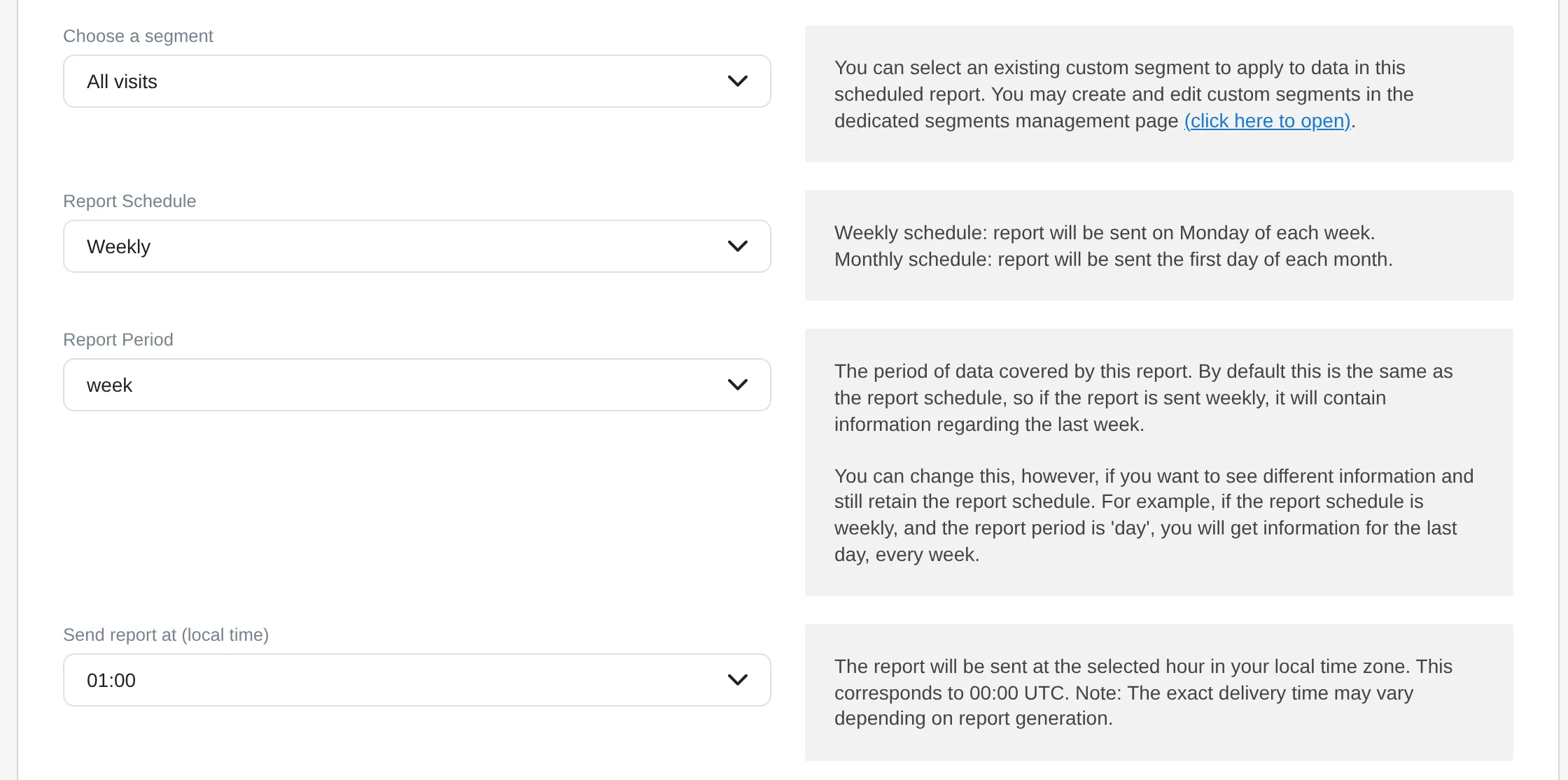
Email reports are built into Matomo. You find them in the administration under Personal, “Schedule Reports”. Every logged-in user can create their own reports for the websites they may view. A report consists of these parts:
- Name and description, shown at the top of the report.
- Segment, if the report should show only part of the visits, for example only paid campaigns.
- Report schedule: daily, weekly (Mondays), monthly (on the 1st) or never, then for download only.
- Report period: which period the report covers. By default it follows the schedule, so a weekly report covers the last week. But you can, for example, send the figures for the current year every week.
- Hour, based on the website’s time zone.
- Recipients: yourself and any other addresses.
- Format and display: HTML, PDF, CSV or TSV, with tables, graphs or both, optionally with evolution graphs over the previous periods.
- Reports: the Matomo reports to include, from the visits overview to goals and ecommerce.
Instead of email, the bundled Mobile Messaging plugin can also send an SMS, through an SMS provider you connect yourself.
Setting up a report
- Give it a name that says what the report is for, for example “Monthly report management”.
- Choose a segment if the report should show only part of the data.
- Set schedule and period. Monthly usually suits management, weekly suits marketing.
- Add recipients, one address per line.
- Choose the format. HTML reads best in the inbox, PDF suits filing, CSV and TSV suit further processing.
- Select the reports and arrange their order in the preview.
- Send a preview and check it before the first real report goes out.
A quick way to your first report is a dashboard: in Matomo 5.14 and 6, “Export dashboard” creates an email report with the reports of the widgets already selected. How to build dashboards per audience is covered in Dashboards.
Making sure the reports arrive
- Set up email sending. Matomo sends through the mail server configured in the general settings. Without it, the reports get stuck.
- Let the scheduled tasks run. Matomo’s task scheduler handles sending, reliably with the cron job for archiving (
core:archive). The exact delivery time can therefore vary a little. - Preview first. “Send preview now” shows how the report arrives and reveals mail server problems.
- Segments are protected. A segment used by an email report cannot be deleted while the report needs it.
- Unsubscribing always works. Every recipient can leave a report with a link.
Where the built-in reports stop
Matomo’s email reports place standard reports one after another: one table or graph per report, in Matomo’s fixed design. For a short weekly overview that is enough. As soon as a report should convince management or steer a team, a few things are missing:
- Comparisons. How a number changed against the previous period is shown only as an evolution graph, not as a change next to the number.
- Design. KPIs, text and tables cannot be combined freely into one page.
- One segment per section. A segment applies to the whole report.
Email Reports Pro comes on top of Matomo’s reports. Existing reports keep running and can be taken over as a starting point. Sending goes through your Matomo’s mail server, on the same schedule of the scheduled tasks.
A good email report
- has one group of recipientsManagement monthly, marketing weekly.
- shows comparisonsEvery number with previous period or trend.
- is shortThe essentials at the top, details in the dashboard.
- is maintainedWhoever no longer reads it comes off the list.
Typical pitfalls
- One report for everyoneEveryone searches for their numbers among everyone else’s.
- Numbers without comparisonWhether 1,200 visits is good, the number alone does not say.
- No mail server, no cron jobThen nothing arrives, and it is noticed late.
- Orphaned recipientsPeople who left the company keep receiving numbers.
Sources
As of 12 November 2026, Matomo 5.14 and 6.0.0-rc1